
Coming soon
What we're building
Upload the procedural timeline for your Matter, Wexler will intelligently extract the dates and present them to you for verification.
- v3.3.0·Latest
DAT file upload
DAT file upload
You can now import document metadata directly from DAT load files, without needing a live Relativity connection. Upload the DAT file, select the column which matches your Wexler filenames, and then pick which fields to bring into the Matter.
Organisation level templates
You can now create global templates via your organisation settings page. These templates can then be used by all users across all Matters in the organisation.
120GB ZIP Handling
We've improved the handling of very large ZIPs, up to 120GB in size.
- v3.2.1·
Verification Improvements
Verification Improvements
Documents in Wexler now have a text layer. This allows users to highlight exact search words and phrases in the documents, as well as select document text. This improves the speed at which you can verify underlying sources. Note: only available for uploads from June 29 onward.
File History overview
On the File History page of Matter Settings you can now see a complete history of all files uploaded into Wexler, including failed or deleted files, a log of who uploaded what, and a full processing history.
- v3.2.0·
A fresher Matter overview and smarter Kim
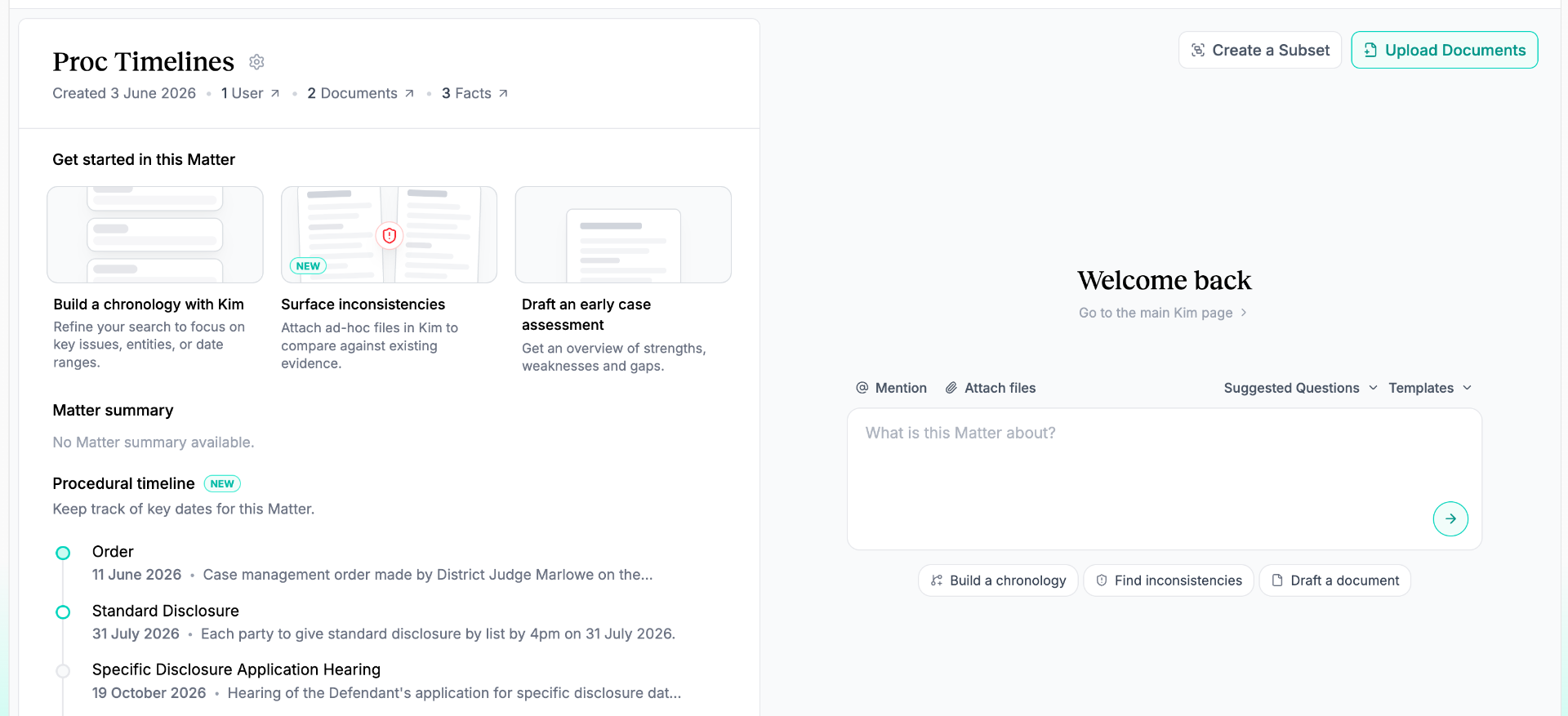
Reimagined Matter overview and navigation
We've overhauled the Matter and Subset overview to give you the most important information about a Matter at a glance. It's now easier to jump back in to Kim threads or chronologies you've been working on, or quickly switch between Subsets from the top navigation section.
Optimised ZIP handling for larger uploads
We've reworked the file uploader to stream and fan out large files and nested ZIPs rather than pulling them down whole, giving much better scalability and reliability for very large uploads.
Kim now understands Relativity metadata
In Relativity enabled Matters, Kim can now search and index on your metadata fields like 1LR Issues. Use this to refine your search or surface key documents for Kim to focus on, then bounce the documents back to a list in your Relativity workspace.
Other improvements
The document viewer now has a text layer, so you can select text directly from a document and search within it. Search results are highlighted in place as you move between them. Plus stability and performance improvements in Kim.
- v3.1.0·
Upgraded usage dashboard
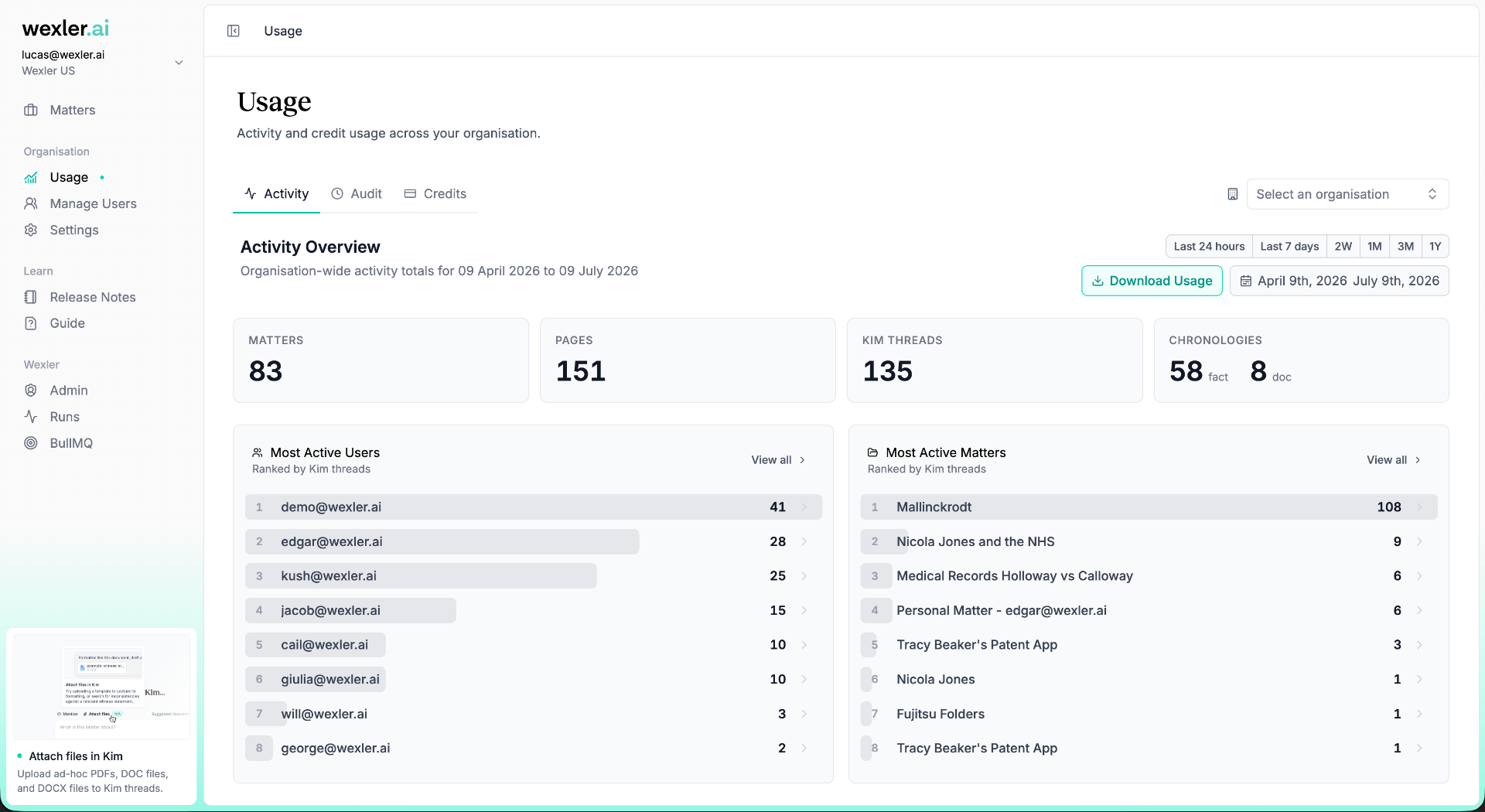
Upgraded usage dashboard
We've upgraded the usage dashboard to give you a better understanding of your most active users and Matters, as well as a better overview of your credit usage. We've also given you the option to view an organisation wide audit trail of all actions taken in the application.
Documents page improvements
You can now filter the documents page by the run the documents were added in. Additionally, you can now delete unprocessed documents from the documents page.
- v3.0.0·
New Kim, for good
Sunsetting legacy Kim
We have sunset the legacy Kim experience. All of your old questions have been migrated to the new Kim experience. New Kim includes multi-turn conversations, more intelligent, deeper research, and richer output formatting.
Interrupting Kim threads
You can now interrupt Kim threads to stop them running if you need to amend your question.
- v2.9.5·
Kim Inconsistency Viewer
Kim Inconsistency Viewer
Upload a document to Kim, or @ a document in your Matter, and ask Kim to find inconsistencies with that document. Kim outputs an interactive document viewer that highlights the inconsistencies as they appear, referenced against the data in your Matter.
- v2.9.0·
Improvements to uploader speed and reliability
Improvements to uploader speed and reliability
We've made several improvements to the speed and reliability of the file uploader, particularly for large ZIPs and for checking encrypted files.
- v2.8.1·
Give feedback on Kim answers
Give feedback on Kim answers
You can now give feedback on Kim answers, this will help the Wexler team improve the quality of Kim. Don't worry, your thread content will remain private, but the Wexler team will be able to see your feedback.
- v2.8.0·
Kim gets hands-on with your files
Add files to Kim threads
You can now add ad-hoc files directly to Kim threads. Upload PDFs, DOC files, or DOCX files, and Kim will OCR them so their content can be referenced anywhere in the conversation. Try searching for inconsistencies between testimony and the documents already in your Matter, or capture the formatting of a sample statement by asking Kim to draft a witness statement in the same style.
Improved tables in Kim
We've improved how Kim displays tables, especially when answers contain larger or more detailed outputs. Tables are easier to review in the conversation, and can now be expanded to use more width when you need more room. You can also export Kim tables directly to Excel, so structured outputs can be reviewed, edited, and shared off-platform.
Other improvements
Download specific inconsistencies by selecting them from the inconsistencies page.
- v2.7.0·
Bundles, Relativity, and one-click retries
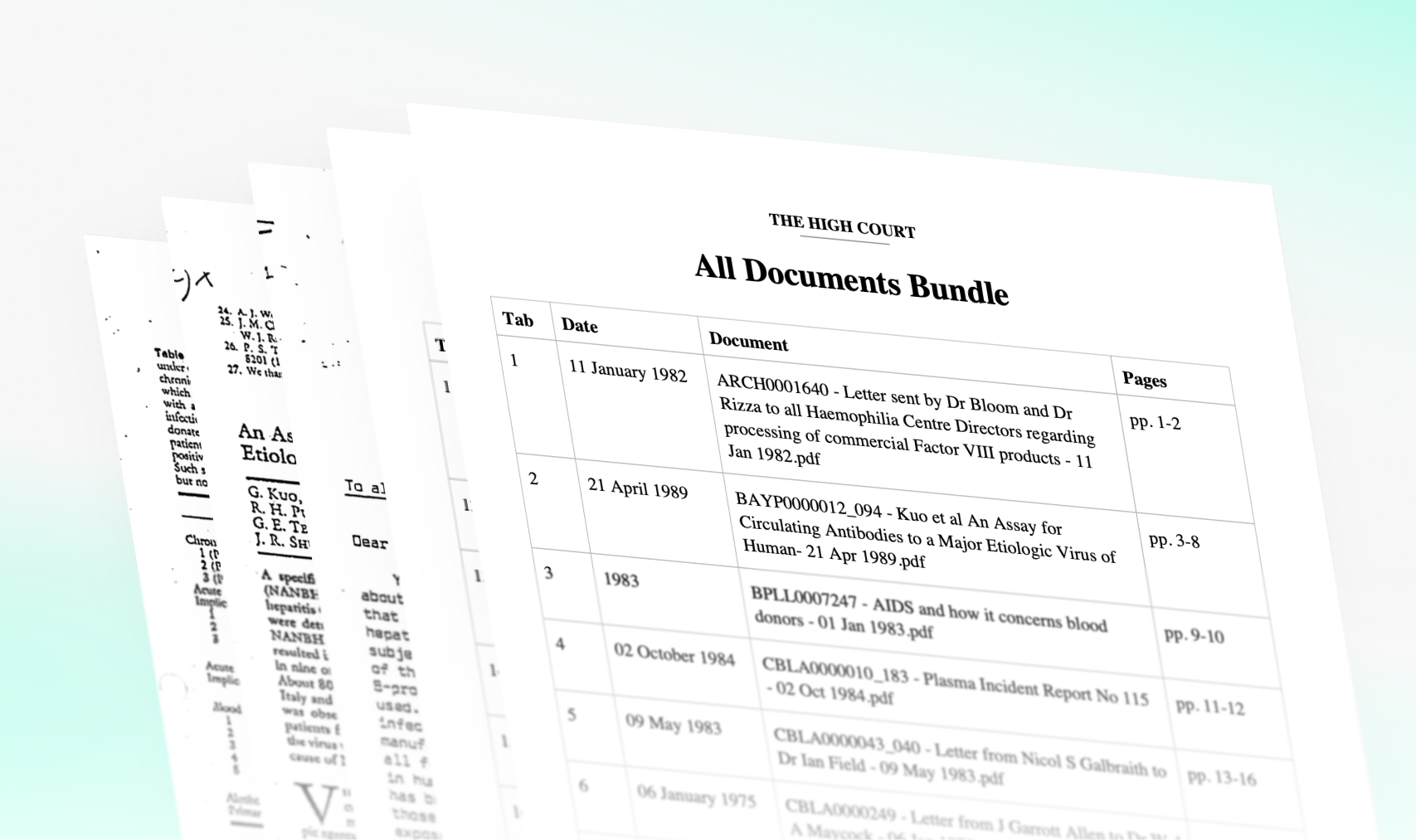
Export documents as a bundle
You can now export documents and document chronologies as bundled PDFs. Bundles combine all selected documents with automated indexing and pagination. Use Kim to surface relevant documents, create a chronology, and export a prepared bundle — no more manual re-arranging.
Relativity: Create Lists from documents in Wexler
For Matters linked to a Relativity workspace via Wexler's integration, you can now create Relativity Lists from a selection of documents. Refine a Subset through Kim, then bounce it back to Relativity. More two-way Relativity features are on the way.
Re-process failed documents in one click
From the File History tab, you can now reprocess eligible documents from a run in one click.
Disable deduplication with extended import settings
We've expanded our import settings to include the ability to disable Wexler's deduplication on a per-upload basis — useful when documents were prepared carefully elsewhere, e.g. in Relativity.
- v2.6.0·
Kim Templates
Kim Templates
Kim now supports templates, making it easier to turn repeatable legal workflows into reusable prompts. Start from Wexler templates, create and save your own, and reuse them across Matters. You can also generate a template from a previous Kim answer — Wexler turns that exchange into a reusable prompt.
Relativity Integration Improvements
A broad set of improvements to the Relativity integration. Imports and sync jobs are more reliable, easier to retry, and Relativity metadata is available in more places across Wexler — including in failure reporting.
Other Improvements
Added support for .xlsb files. Encrypted & password-protected files are now surfaced at the upload stage.
- v2.5.0·
Matter Context, and chronologies inside Kim
Matter Context
Issues are now discrete rather than a free-text field, so the issues you set for a Matter are the same issues your facts are tagged with. This gives you much more precise filtering and analysis, improves how Wexler classifies relevance, and gives Kim better context. You can also capture richer detail about key parties — including whether they're claimants or defendants and whether you represent them — and upload up to 10 files (claim forms, pleadings) for Wexler to generate issues from automatically.
Build Chronologies Inside Kim
Kim can now build chronologies natively. Instead of a separate export step, Kim assembles and renders chronology content directly in the conversation, so it's easier to review, iterate, and keep moving. Existing questions can now be continued in the new Kim experience.
Other Improvements
Edit or delete entities directly from the Entities page. Import a list of filenames or control numbers on the Documents page to quickly select matching documents. Leave feedback in-app through the new feedback popup. Open and share inconsistencies on dedicated pages. Warnings on low-confidence OCR sources.
- v2.4.1·
Matter-level Permissions
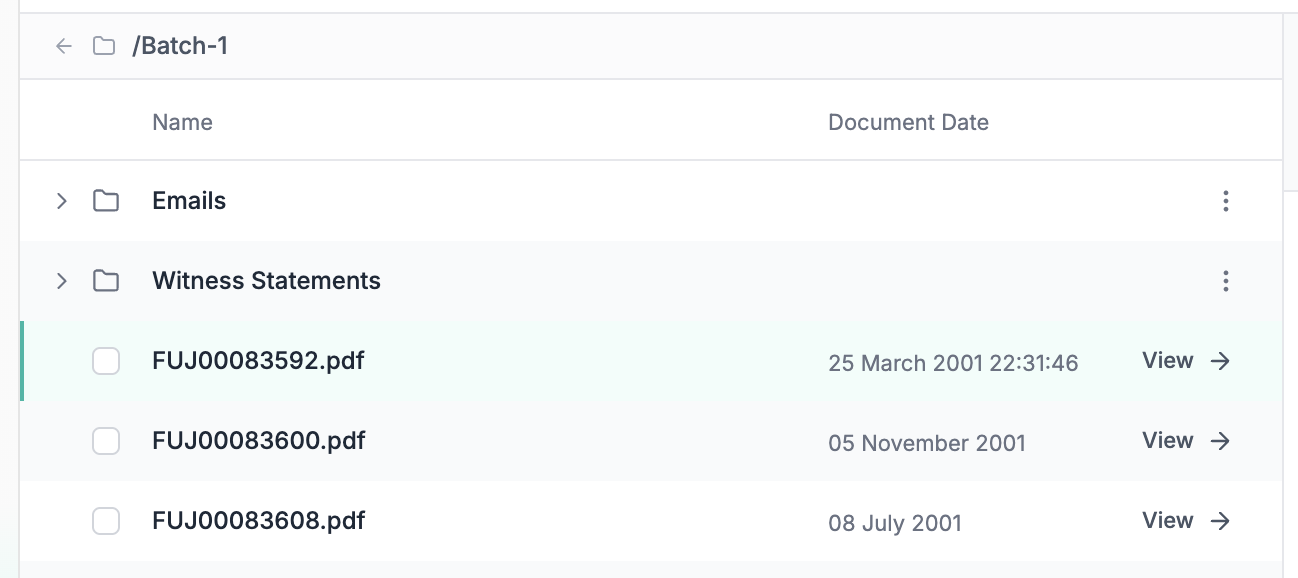
Matter-level Permissions
Admins and Matter-owners can now override user roles at the Matter-level for more granular access.
Other Improvements
Your folder structures are now preserved in Wexler — filter by folder when creating a Subset. Name individual processing runs to differentiate batches. Performance and stability improvements across searching and filtering.
- v2.2.0·
Improved Kim
Improved Kim
Users can now opt-in to a new and improved Kim experience. Multi-turn threads, richer indexing across documents and facts, and drafts created by asking Kim to produce a document — found in the new 'Work Product' tab, where you can also publish Drafts for other users in your Matter.
- v2.1.0·
Optionally include duplicates when filtering by processing run
Optionally include duplicates when filtering by processing run
If you already have Party A's documents in Wexler and then upload Party B's, you'll now be able to include documents that were marked as duplicates of Party A's when creating a Subset from that second run.
- v2.0.9·
Kim on Matter homepage
Kim on Matter homepage
Ask Kim from the Matter homepage. Defaults to asking over all documents in the Matter, but you can also select a Subset.
Improved file upload and Matter creation UX
Easier to see what's happening when you upload files, and simpler Matter creation.
File tracking for deletions
In the file history page in Matter settings you can now see which files were deleted and when.
Sample Matter for users
Create a sample Matter to try out Wexler on some example documents.
- v2.0.8·
Upload History Overview
Upload History Overview
We have improved the Upload History page in Matter settings, to give you a better overview of your file upload history and why some files failed to upload.
Removed Inconsistency Reports
Rather than first exporting selected inconsistencies to a new page as a 'report', you can now export them directly from the inconsistencies page.
- v2.0.7·
Audit Trail
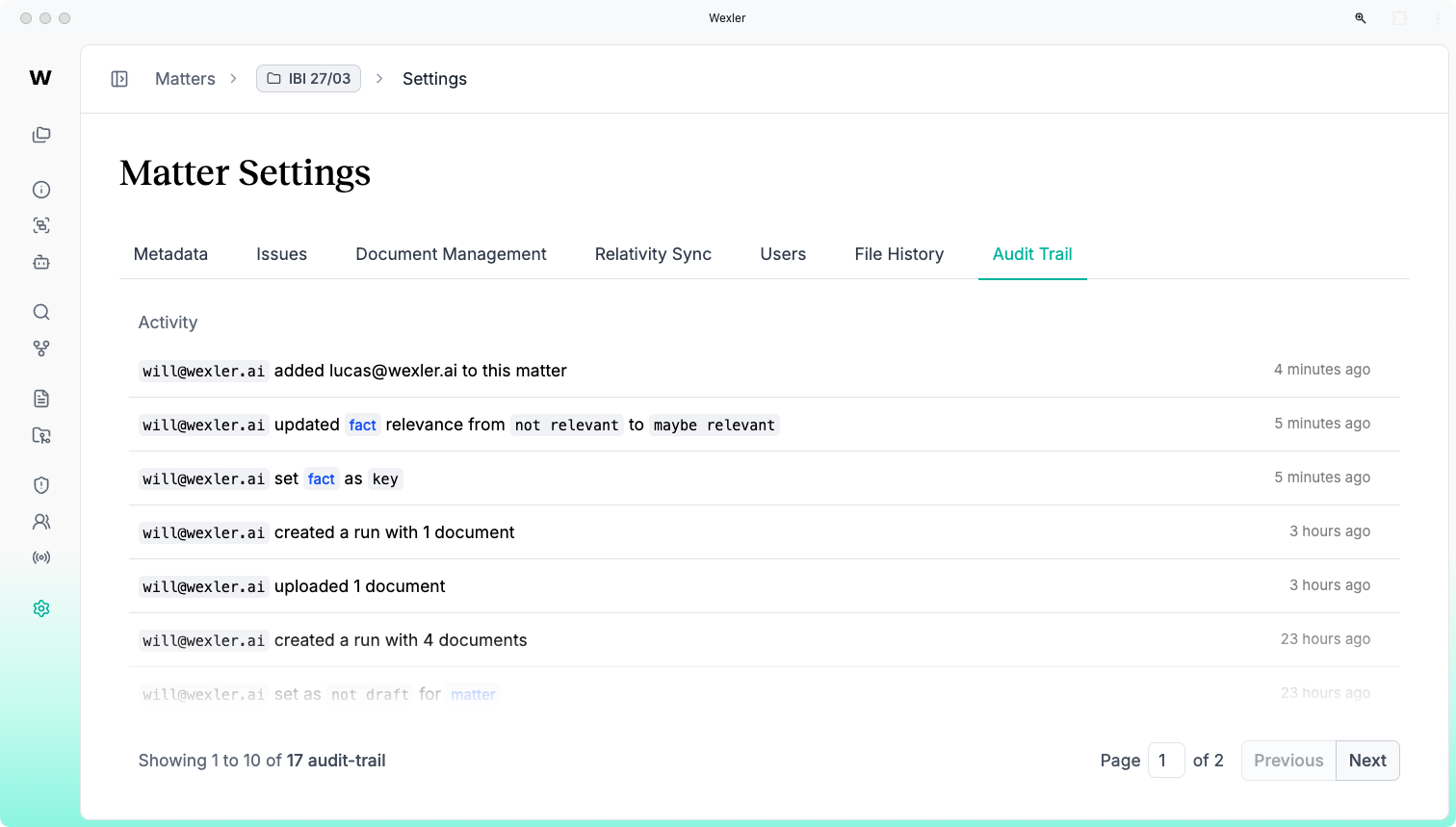
Audit Trail
You can now view a history of events that have taken place in a Matter. Admins can also view audit logs across the whole organisation.
- v2.0.6·
Document Chronologies
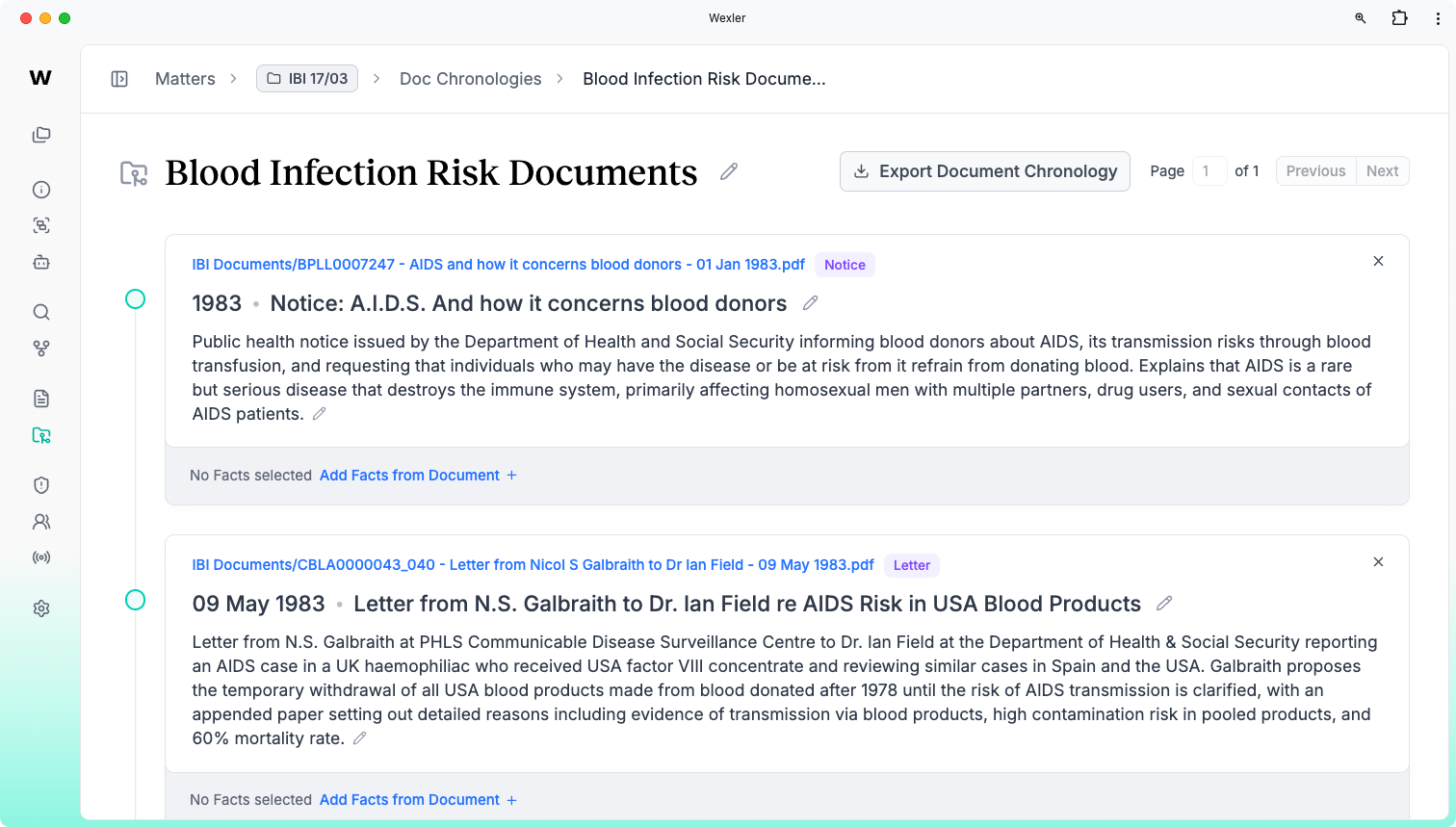
Document Chronologies
Create chronologies from documents. Select the documents from the documents page, and optionally include any key or relevant facts from those documents.
Upload History Reports
Download reports of failed and successfully uploaded documents in the Matter upload history page.
- v2.0.5·
Large dataset scaling
Large dataset scaling
Improved the performance of the application when dealing with a large quantity of facts and documents.